Launch Extensions on the Same Governed Host the MdWrk Client Uses
The MdWrk client now presents a governed extension platform with manifest, runtime, manager, theme, language, and workspace surfaces that teams can adopt with a clear authoring path.
What extension authors get
MdWrk's extension platform includes:
@mdwrk/extension-manifestfor declarative metadata@mdwrk/extension-hostfor host-safe APIs@mdwrk/extension-runtimefor activation and lifecycle@mdwrk/extension-managerfor installation and management UX- first-party surfaces for theme authoring, language packs, Git operations, and workspace files
Installation and authoring references
These docs carry the current usage details:
Package-first install example
npm install @mdwrk/extension-runtime @mdwrk/extension-host @mdwrk/extension-manifestManifest example
{
  "id": "acme.release-notes-tools",
  "name": "Release Notes Tools",
  "version": "1.0.0",
  "publisher": "Acme",
  "engines": {
    "mdwrk": "^1.4.0"
  }
}
Screenshot
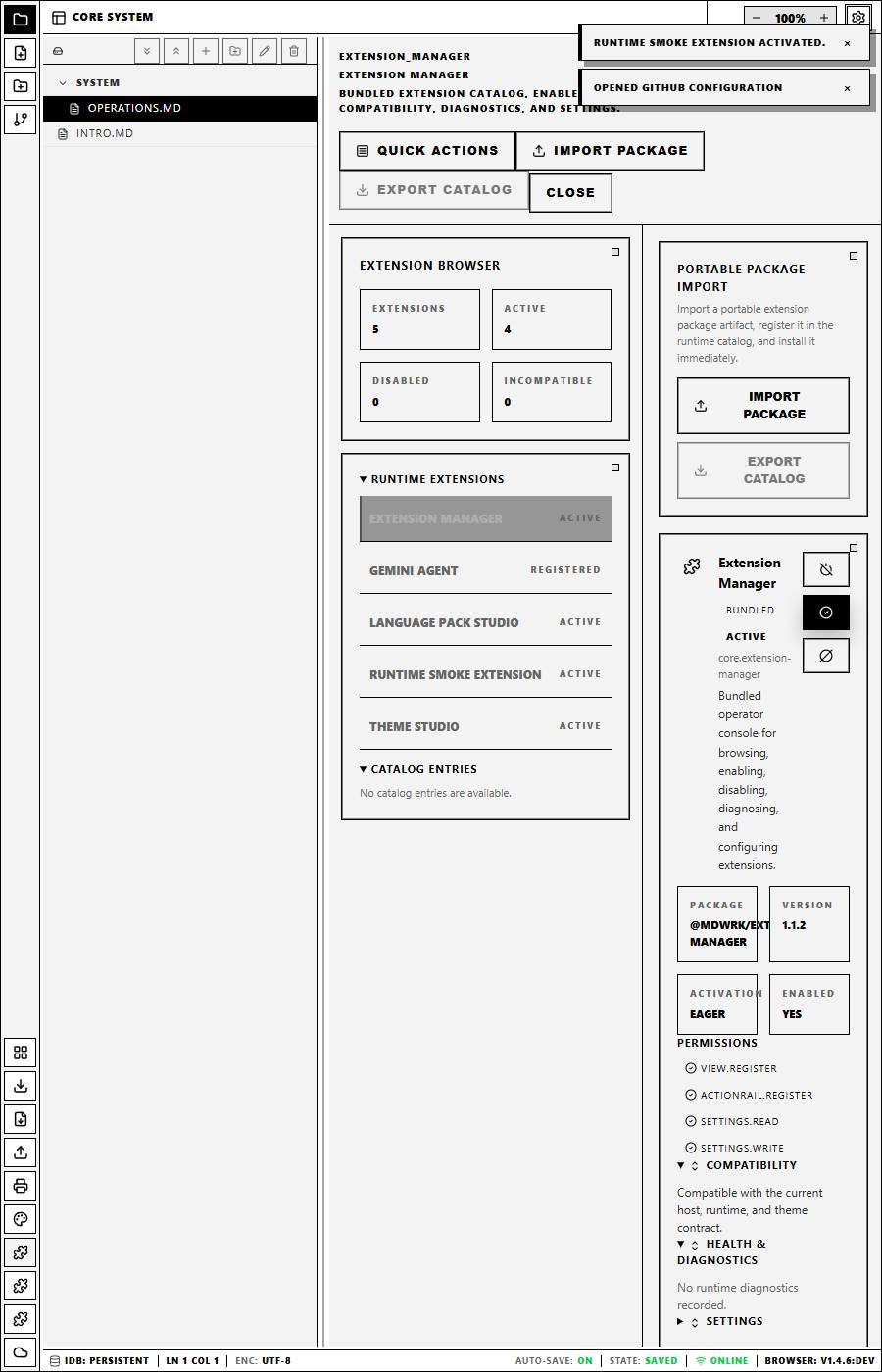
This pane shows how MdWrk brings extension discovery and runtime management into the same workspace experience that writers and operators already use.
Why this rollout matters
Extension teams want a host that communicates:
- where extensions register
- how compatibility is checked
- where settings and commands appear
- how first-party and third-party surfaces fit together
MdWrk now expresses that story clearly in product terms and package terms at the same time.